Work out while
Claude Code works.
A tiny coach in your MacBook notch, while your AI does the work.
 NotchFit
Waiting for your next prompt
What is NotchFit?
NotchFit is a macOS menu bar and notch app for developers who use Claude Code or OpenAI Codex CLI. While your AI agent works, the MacBook notch expands into a panel with a guided workout on the left and the AI's live progress on the right, and it notifies you when Claude or Codex is done or needs permission. It costs $20 once, runs entirely on your Mac, and needs no account.
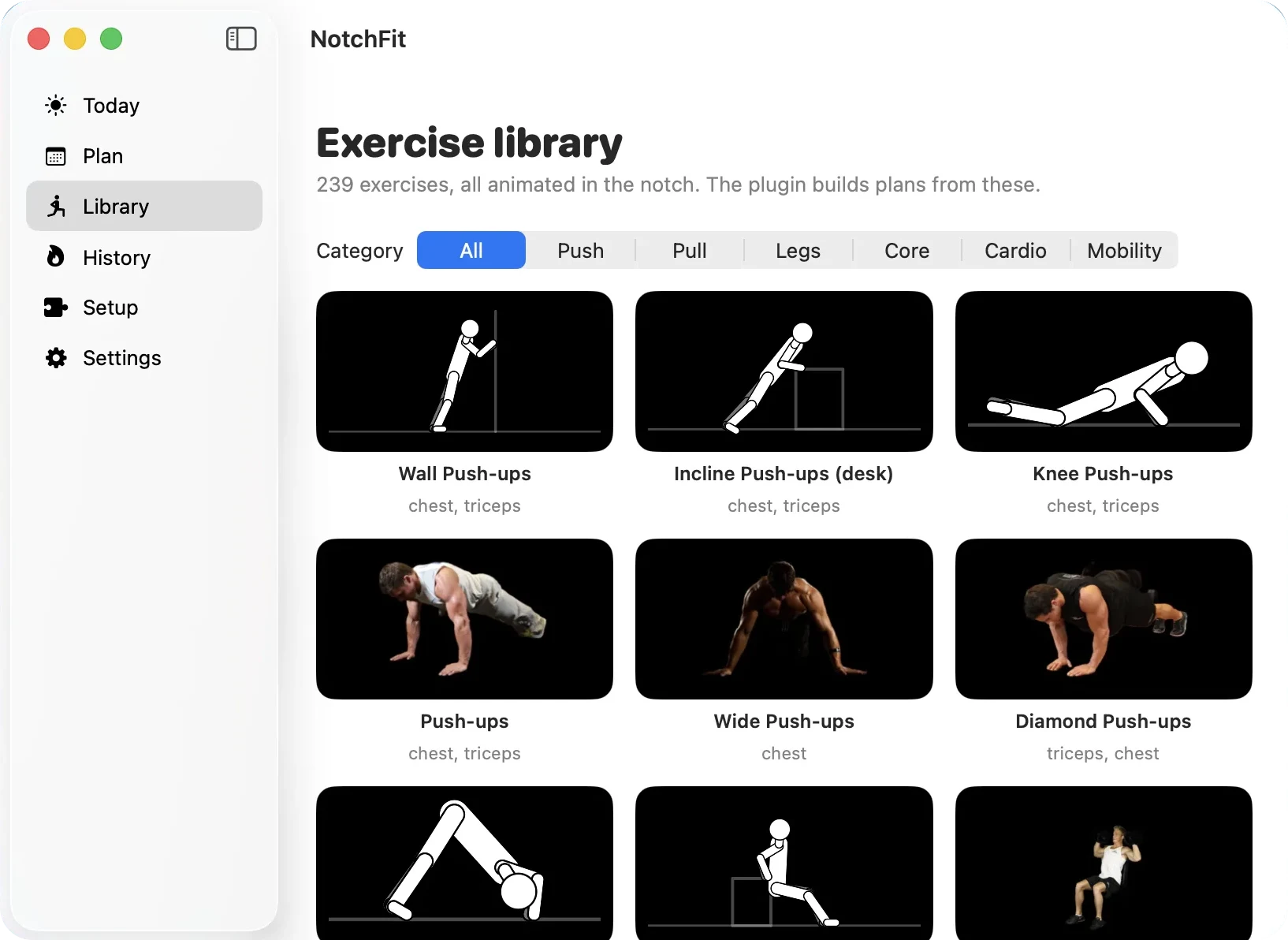
It runs on macOS 14 or later (Apple Silicon and Intel), works with Claude Code and OpenAI Codex CLI, and animates 239 exercises — 198 of them photo animations of real athletes. Everything stays local: no account, no telemetry, no microphone. $20 once buys lifetime access; you download the signed and notarized DMG from Whop.
01How it works
How NotchFit works
Install NotchFit
Buy NotchFit for $20 on Whop, open the signed and notarized DMG, and drag NotchFit to Applications. It lives in your menu bar and your notch.
Connect Claude Code and Codex
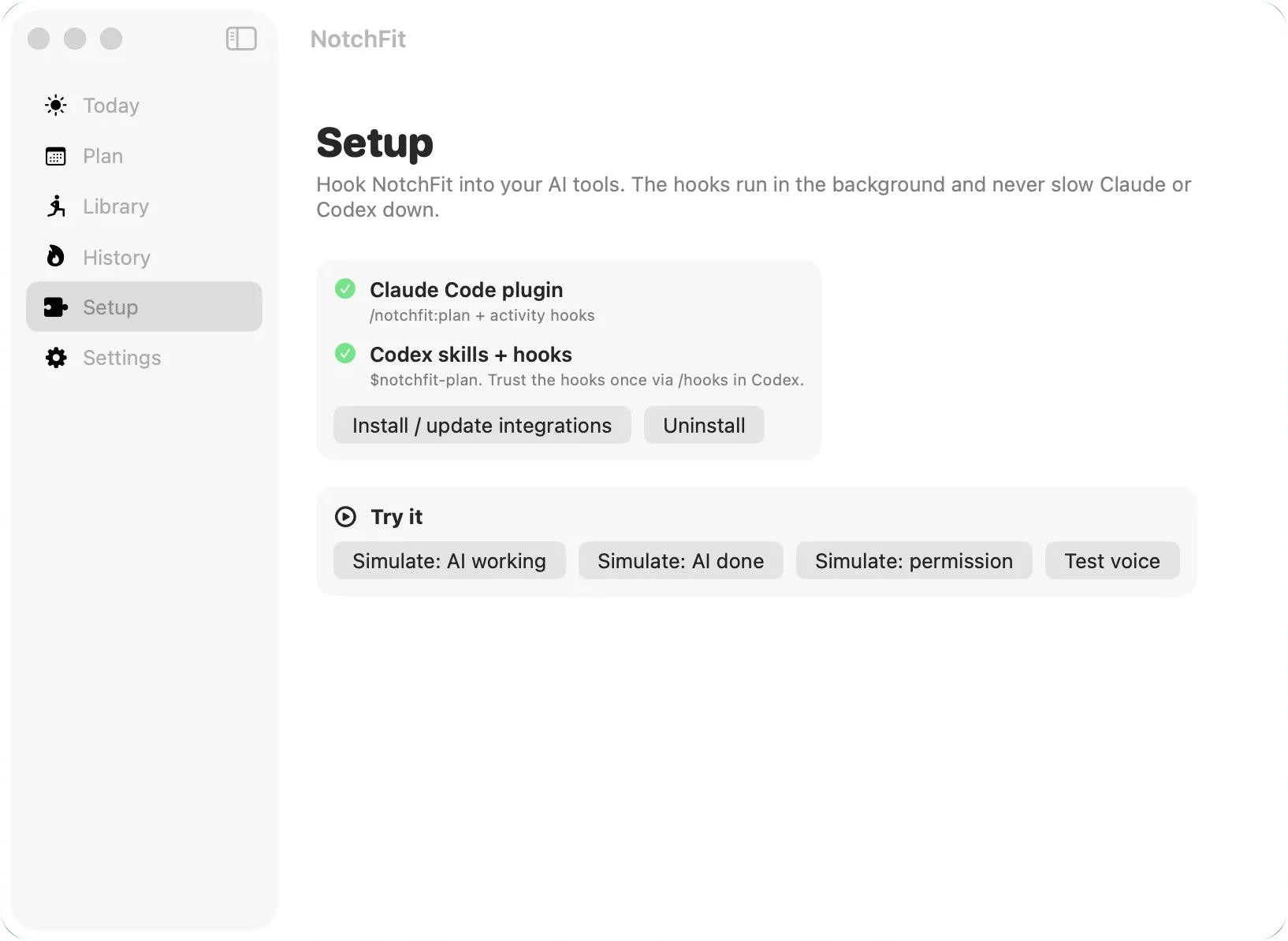
Open Setup and click Install / update integrations. That adds the NotchFit Claude Code plugin and the Codex skills and hooks. In Codex, trust the hooks once via /hooks. The hooks run in the background and never slow your AI down.
Let your AI write your plan
Run /notchfit:plan in Claude Code (or $notchfit-plan in Codex). It asks your age, height, weight, fitness level, goal, equipment, days per week, minutes per day and injuries, then writes a weekly plan using only exercises the notch can animate. Prefer offline? Use the quick-plan generator in the app.
Code, and move while your AI works
Give Claude Code or Codex a task. The notch expands with your next exercise on the left and the AI's progress on the right. Tap Start set when you're ready; NotchFit tells you when the AI is done or needs permission.
02Up close
Everything happens in the notch
Your workout on the left, your AI on the right. No second screen, no phone, no app switching.
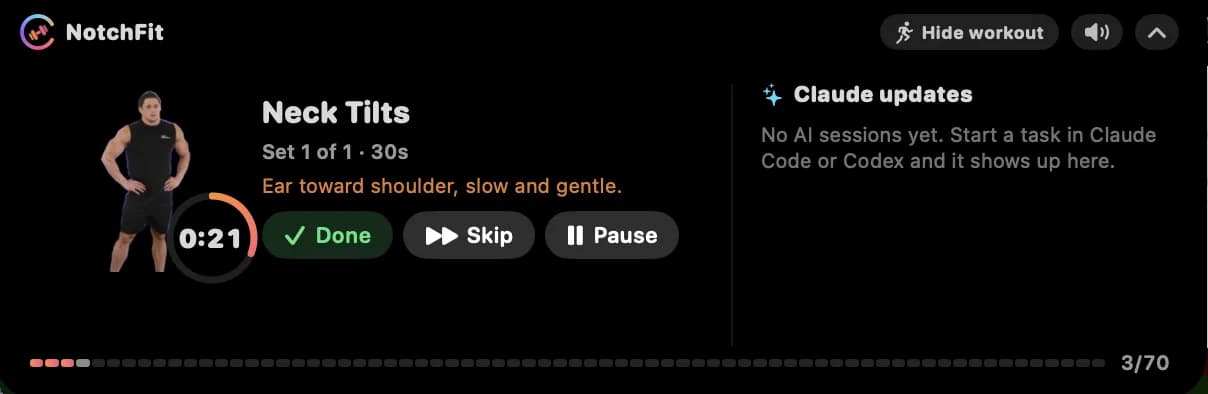
- 1
Real athlete animation
Photo animations of real people, looping in the notch.
- 2
Countdown ring
Reps or seconds left in the set.
- 3
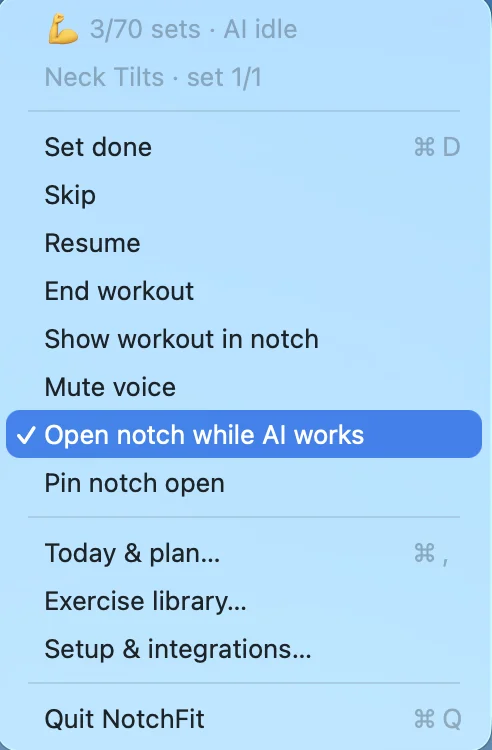
Done · Skip · Pause
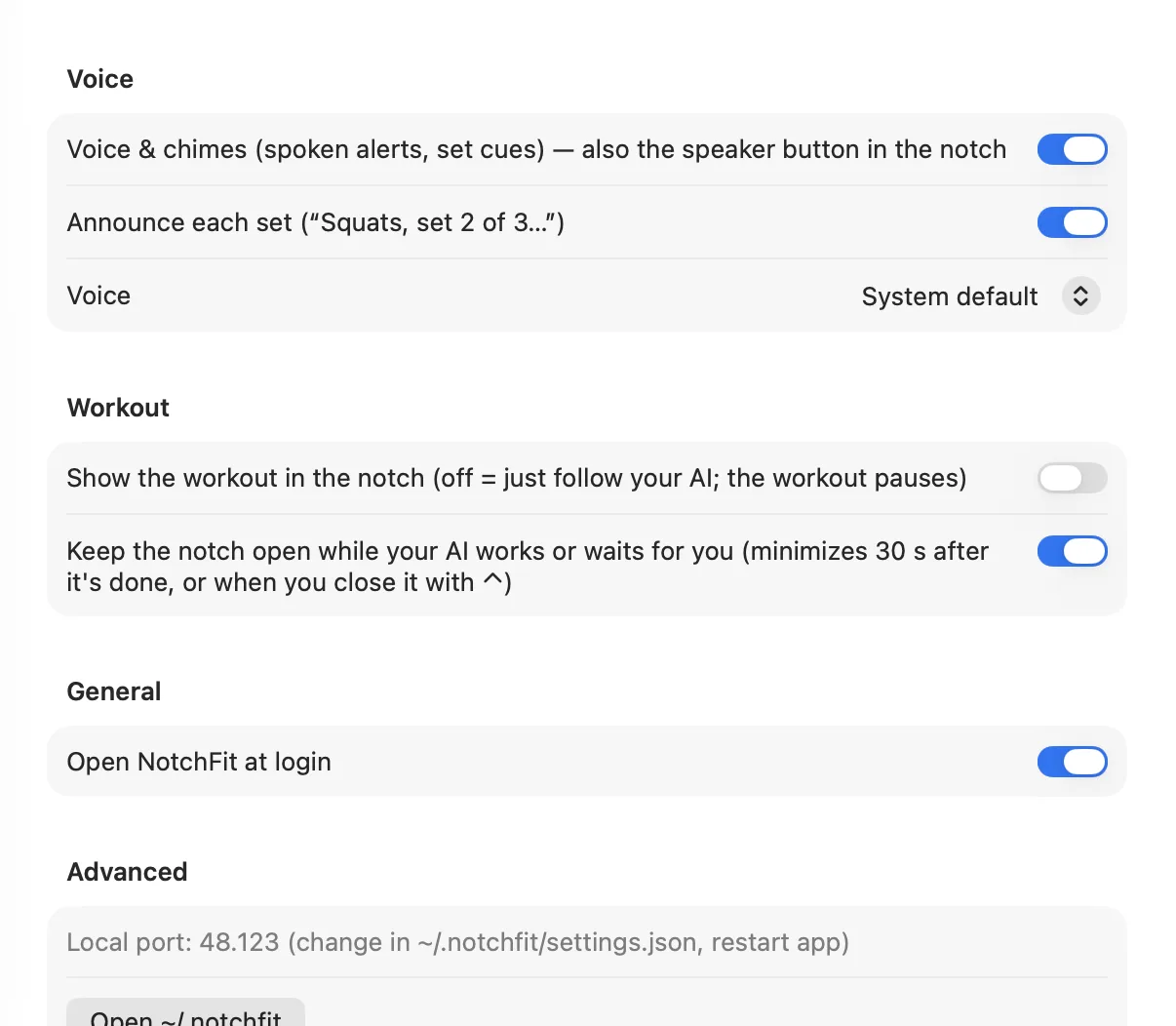
Every set starts only when you tap Start set.
- 4
Claude updates
Working on, done with a summary, or needs permission.
- 5
Hide workout
Just follow your AI; the workout pauses.
- 6
Mute
Silences voice and chimes.
- 7
Minimize
Tucks the notch away until the next AI task.
- 8
Today's progress
One tick per set in today's workout.
03Your plan
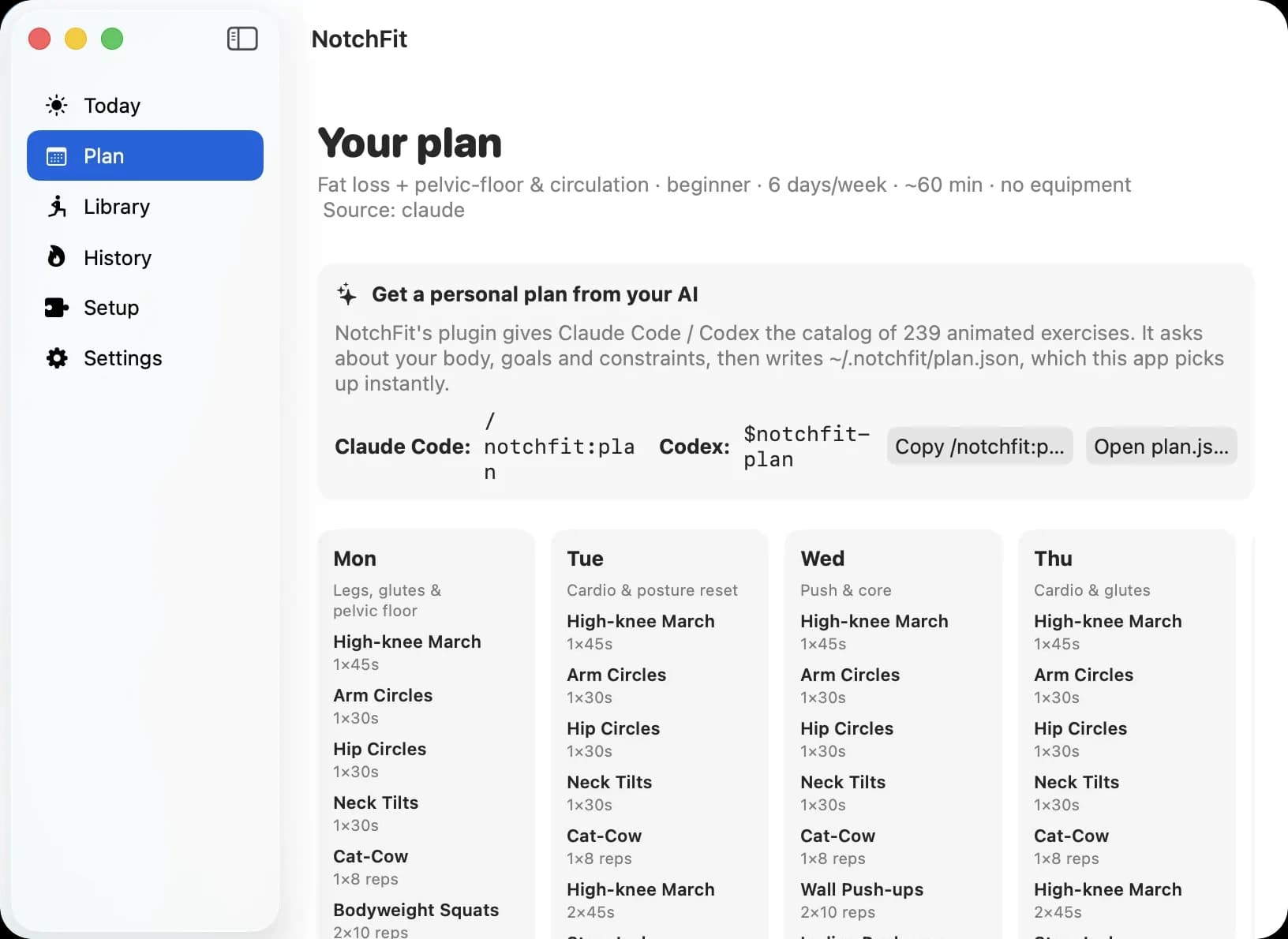
A personal plan, written by your AI
Run /notchfit:plan in Claude Code or $notchfit-plan in Codex. Your AI asks about age, height, weight, fitness level, goal, equipment, days per week, minutes per day, injuries, then writes a weekly plan using only exercises NotchFit can animate. The app picks it up instantly.
No AI handy? The app includes an offline quick-plan generator too.
> /notchfit:plan
● A few questions so I can build your week:
age 34 · height 180 cm · weight 78 kg
level beginner · goal posture + energy
equipment none · 5 days/week · 15 min/day
injuries lower back — go easy
● Wrote ~/.notchfit/plan.json
validated ✓ · NotchFit reloaded your plan
04Privacy & pricing
Stays on your Mac. Paid for once.
NotchFit talks to Claude Code and Codex over localhost only — no account, no telemetry, no microphone. $20 buys it for life: no subscription, no trial, no license key. Download the signed and notarized DMG from Whop right after checkout.
$20 once · lifetime access · macOS 14+ · no account

NOTCHFIT
Receipt · lifetime access
- NotchFit for macOS — lifetime$20.00
- Subscription$0.00
- Free trialnone
- License keynot needed
- Updatesdownload from Whop
TOTAL$20
once. that's it.
- Does NotchFit work with Claude Code and Codex CLI?
Yes. NotchFit installs a Claude Code plugin and Codex skills and hooks with one click from its Setup screen. The notch then shows what your AI is working on, when it's done (with Claude's summary) and when it needs permission for a tool.
- Will NotchFit slow down Claude Code?
No. The Claude Code plugin's hooks run asynchronously, so they never make Claude wait. Everything talks to the NotchFit app over localhost on your own Mac.
- What are the system requirements?
macOS 14 or later on an Apple Silicon or Intel Mac, plus Claude Code or OpenAI Codex CLI if you want the AI progress and notifications. NotchFit works best on MacBooks with a notch; on Macs without a notch it shows a top-center pill instead.
- How does the personal AI workout plan work?
Run /notchfit:plan in Claude Code or $notchfit-plan in Codex. Your AI asks about your age, height, weight, fitness level, goal, equipment, days per week, minutes per day and injuries, then writes a weekly plan using only the 239 exercises NotchFit can animate. There is also an offline quick-plan generator in the app. NotchFit is a workout guide, not medical advice.
- What happens if Claude finishes while I'm in the middle of a set?
The notification waits until your set ends, so you're never interrupted mid-rep. Every set also starts only when you tap Start set. If you'd rather not work out at all, the Hide workout toggle turns the notch into a pure Claude Code and Codex status panel.
- Does NotchFit collect data or use my microphone?
No. NotchFit runs locally on your Mac (localhost only), needs no account and sends no telemetry. It never uses the microphone. Optional spoken alerts use on-device macOS voices and can be muted from the notch.
- How much does NotchFit cost?
$20 one-time for lifetime access. There is no subscription, no trial and no license key. NotchFit is sold on Whop: after purchase you download the signed and notarized DMG from your Whop account.
- Is there a user guide?
Yes. The NotchFit user guide at aidonenow.com/notchfit/guide walks through installing, connecting Claude Code and Codex, building your plan, the daily flow, notch controls, the command-line tool, troubleshooting, updating and uninstalling.
Open the user guide